

Prerequisites
- A SocialAPI.AI account with at least one connected social account
- A Claude plan that supports connectors (Pro, Max, Team, or Enterprise)
1. Open Connectors
Click Customize in the left sidebar.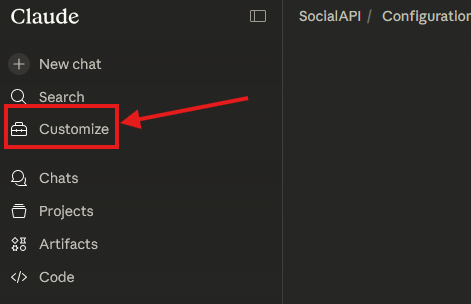
If you don’t see Connectors under Customize yet, go to Settings → Connectors — they are in the process of moving to the Customize page.
2. Add a custom connector
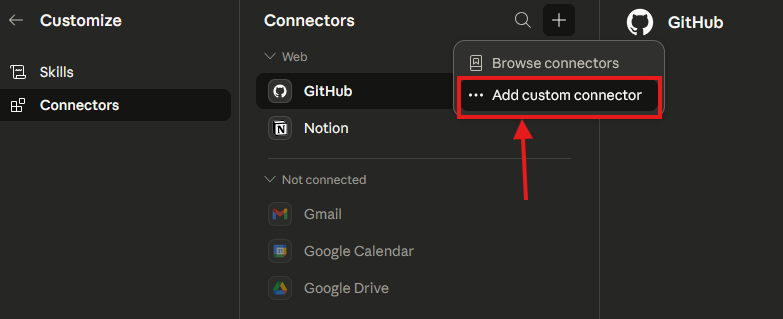
Click on the+ icon to add a new connector and select Add custom connector.
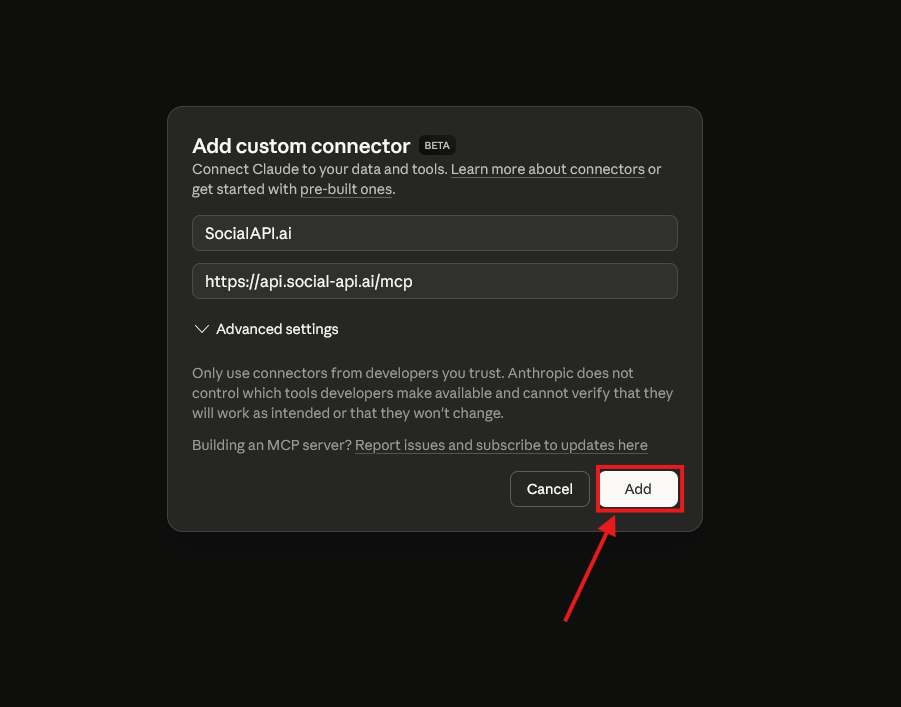
3. Authorize with your account
Claude will initiate an OAuth flow. A browser window will open to the SocialAPI.AI authorization page.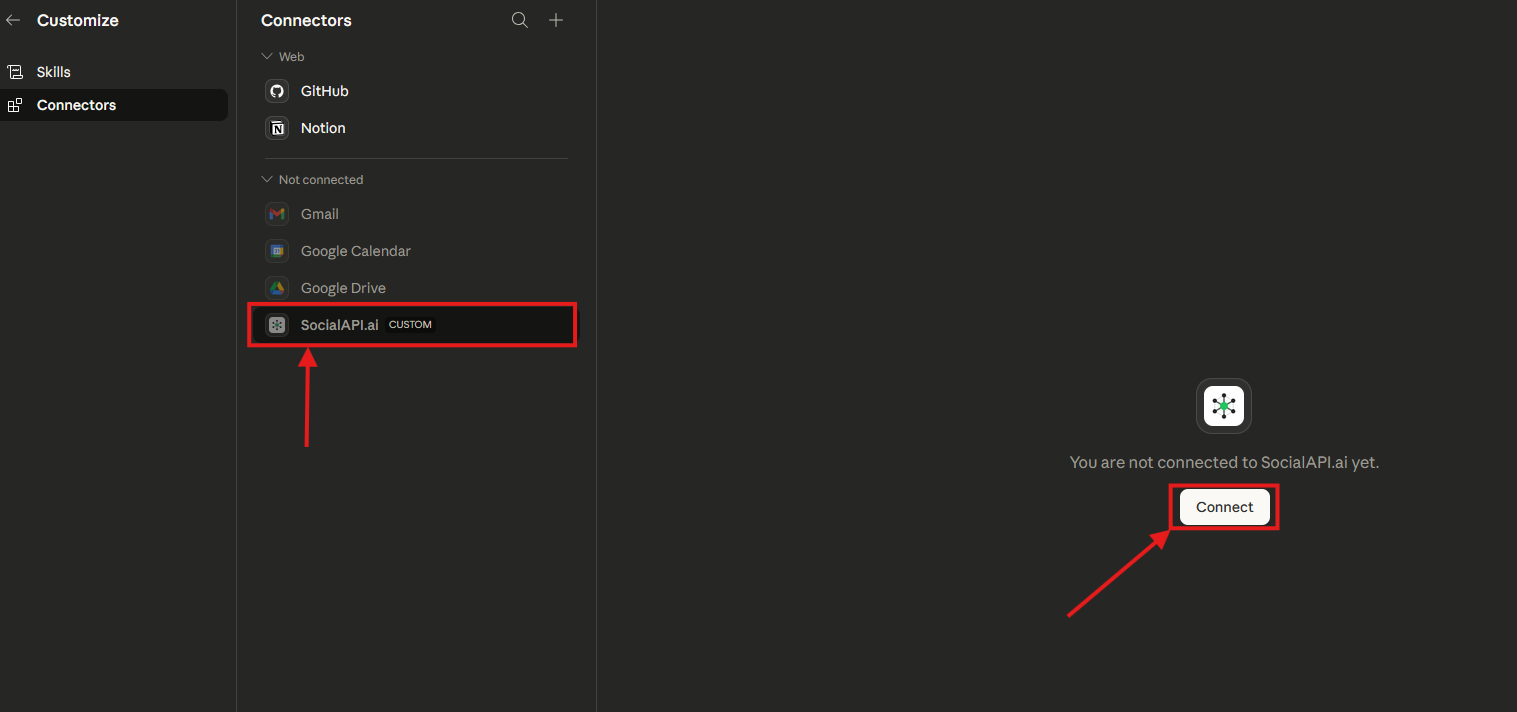
This uses OAuth 2.1 with PKCE. No API key is required — your session is handled automatically.
4. Enable in a conversation
Open a new Claude conversation. Click the + icon at the bottom-left of the input, select Connectors, and ensure SocialAPI.AI is toggled on.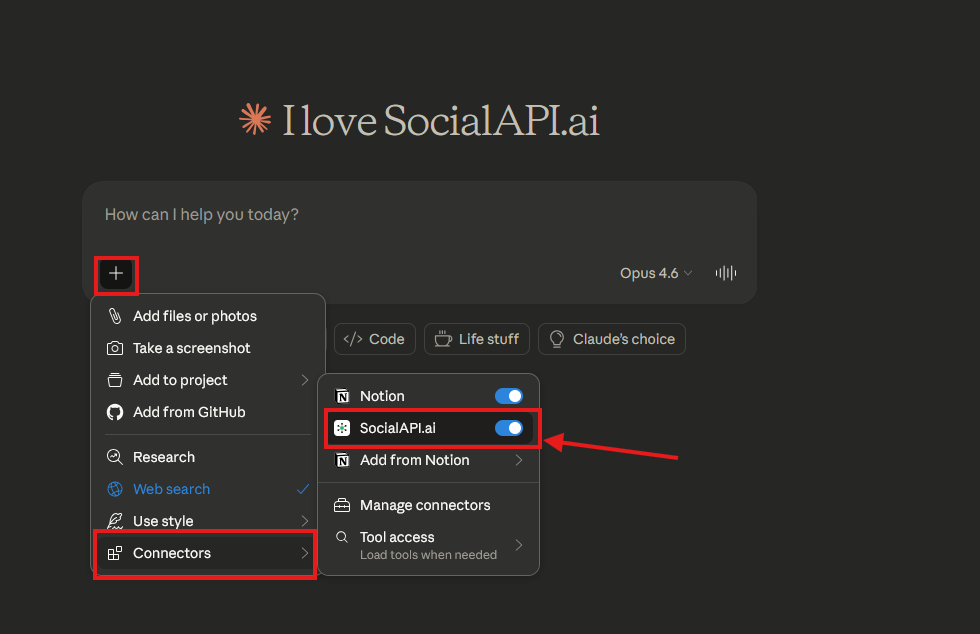
“List my connected social accounts”
“Show me the latest comments on my Instagram posts”
“Reply to comment sapi_cmt_xxx with ‘Thanks for your feedback!’”
Available tools
Claude has access to 31 tools covering all SocialAPI.AI functionality:| Category | What Claude can do |
|---|---|
| Accounts | List connected accounts, view platform metadata |
| Posts | List posts, create, update, delete, retry |
| Comments | Fetch comments, reply, moderate, toggle comments on/off |
| DMs | List conversations, read threads, send messages |
| Reviews | Fetch reviews, reply |
| Mentions | Fetch mentions |
| Usage | Check credit usage and limits |
| Keys | List and create API keys |
| Webhooks | Manage webhook endpoints |